Is the KAMRUI GK3PLUS Mini PC a Good Computer for Programmers?

Is the KAMRUI GK3PLUS Mini PC a Good Computer for Programmers?
In the fast-moving world of software development, programmers are constantly searching for machines that combine power, reliability, and portability. Mini PCs — compact, quiet, and energy-efficient — have become an appealing alternative to bulky desktops or expensive laptops.
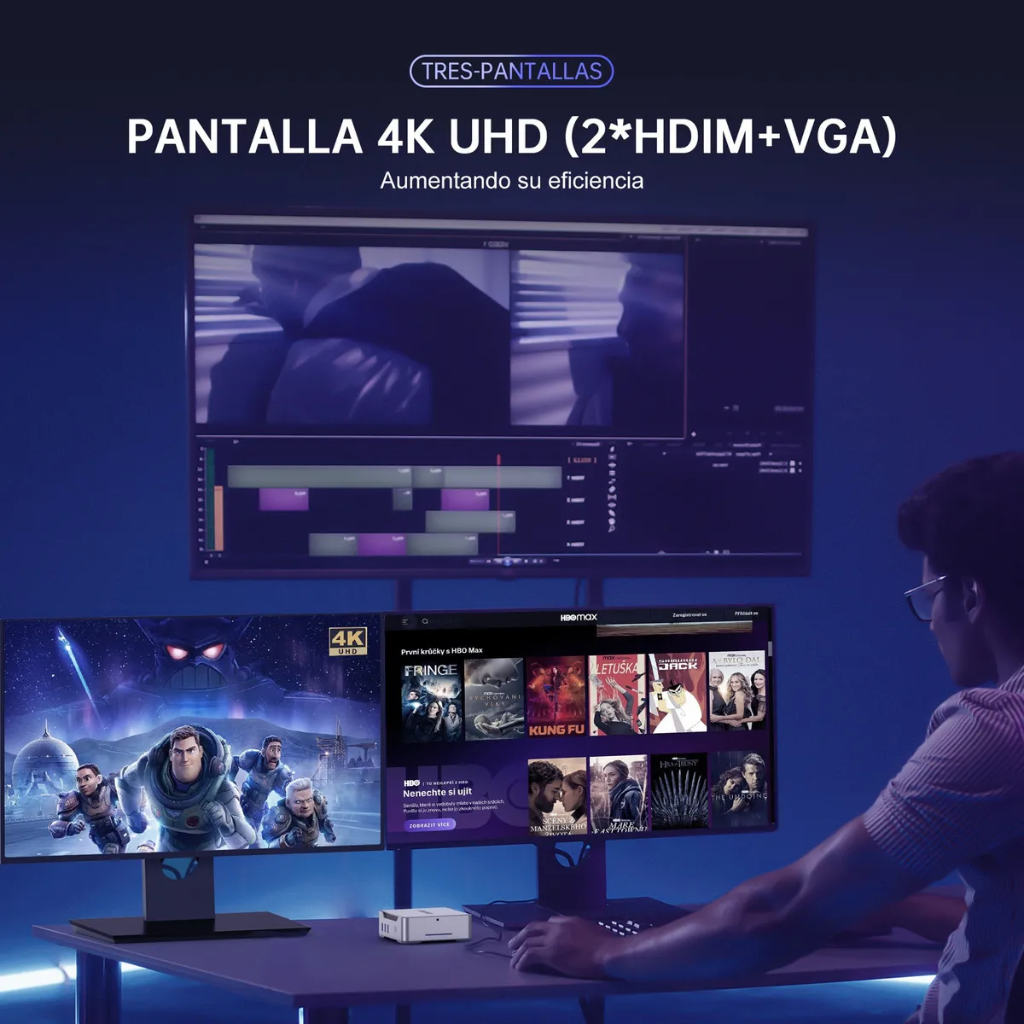
Among them, the KAMRUI GK3PLUS has been drawing serious attention. It’s a compact Mini PC powered by Intel’s Alder Lake-N95 processor, equipped with 16 GB RAM and a 1 TB SSD, and surprisingly capable of running up to three monitors at once (2× HDMI + 1× VGA).
But can such a tiny computer really handle real-life programming workloads? Let’s find out.
Hardware Overview
| Specification | Detail |
|---|---|
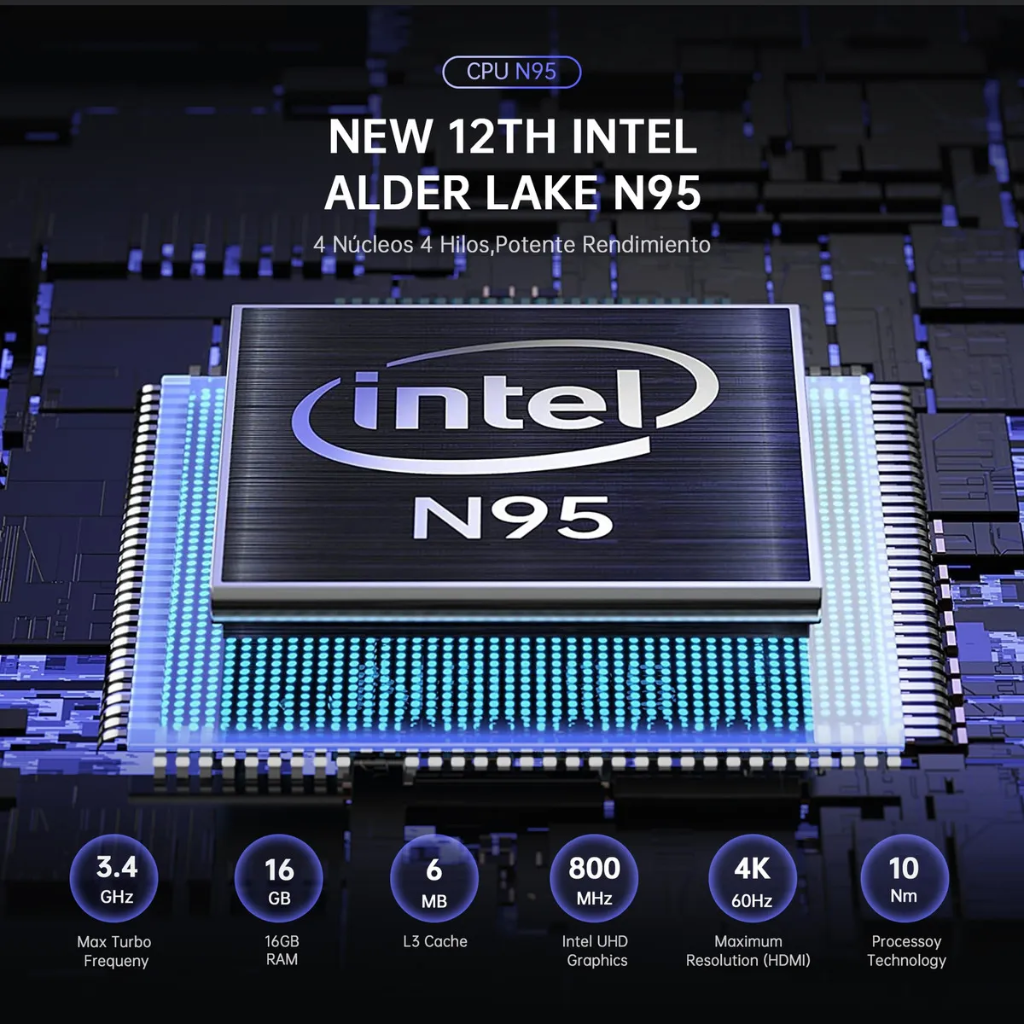
| CPU | Intel Alder Lake-N95 (4 cores / 4 threads, 1.7 – 3.4 GHz) |
| GPU | Intel UHD Graphics (4K @ 60 Hz) |
| Memory | 16 GB DDR4 |
| Storage | 1 TB M.2 SSD |
| Ports | 2 × HDMI, 1 × VGA, 2 × USB 3.2, 2 × USB 2.0, RJ-45 Gigabit LAN, 3.5 mm Audio |
| Wireless | Dual-band Wi-Fi (2.4 + 5 GHz) + Bluetooth 4.2 |
| Display Support | Up to 3 monitors simultaneously (2 HDMI + VGA) |
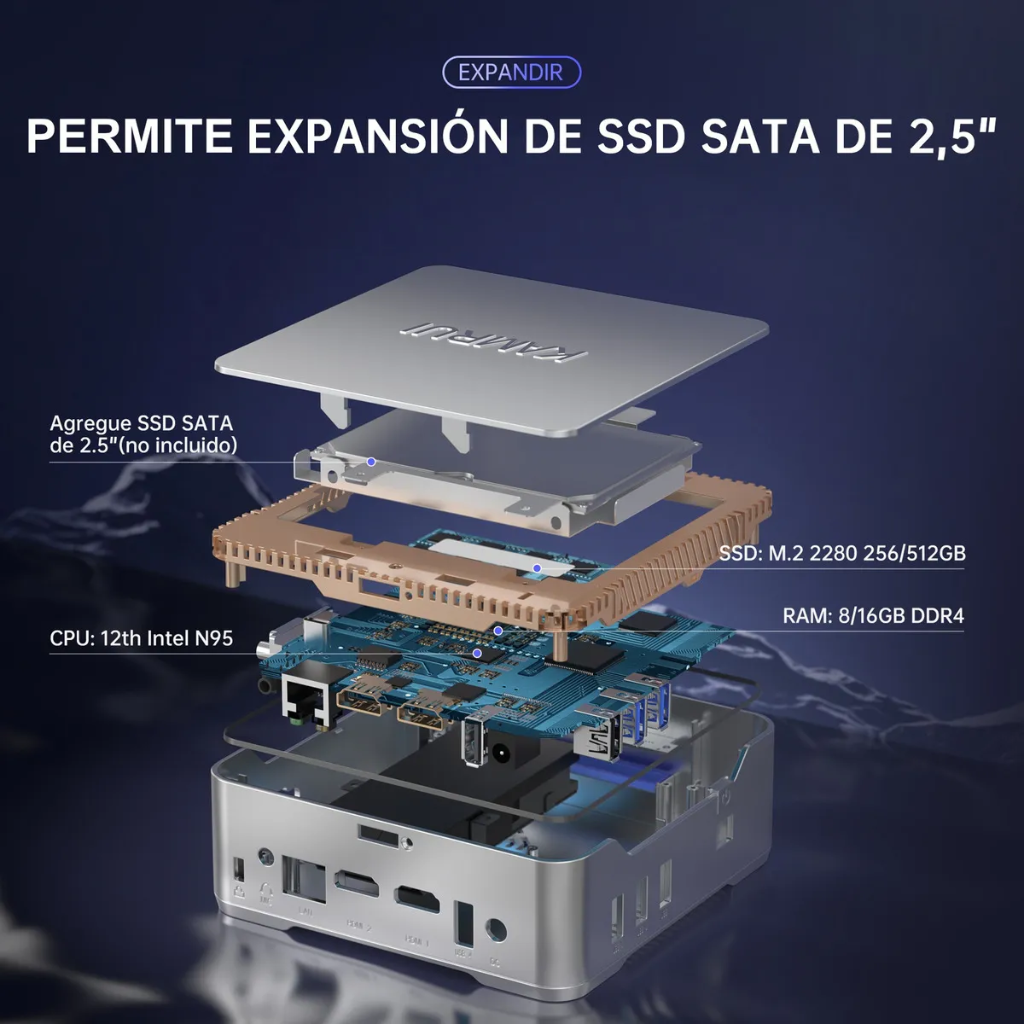
| Expansion | 2.5″ SATA bay for extra SSD/HDD |
| Dimensions | Approx. 12.9 × 12.9 × 4.9 cm, ~0.86 kg |
| OS | Windows 11 Pro (pre-installed) / Linux compatible |
| Cooling | Quiet active fan |
Programming Performance
1. Everyday Coding
Perfect for web or software developers using VS Code, Node.js, React, Python, or PHP. The fast SSD plus 16 GB RAM keeps workflows smooth; package installs are quick, local servers start instantly, and searches across large repos are snappy.
2. Multitasking with Three Monitors
Thanks to two HDMI and one VGA, you can connect three monitors simultaneously:
- Screen 1 – IDE (VS Code / IntelliJ)
- Screen 2 – Browser or documentation
- Screen 3 – Terminal, logs, or chat
All outputs work smoothly at 1080p or 4K, making context switching minimal and focus much easier.
3. Compiling Code
Small and medium projects compile quickly. Enterprise-scale C++/Java builds will take longer than on desktop-class i5/i7 or Ryzen chips. For scripting and most web stacks, performance remains solid.
4. Virtualization & Databases
Docker containers and local MySQL/PostgreSQL servers run fine for development. Multiple heavy VMs will strain the 4-core CPU; keep stacks lean or prefer native services where possible.
5. Thermals & Noise
The GK3PLUS stays cool and quiet even during long sessions. You get a steady hum at most, with minimal thermal throttling — ideal for a focused home office.
6. OS Choice
Works great with Windows 11 + WSL2 or native Linux (Ubuntu, Mint). Linux typically uses fewer resources and feels snappier on this class of CPU.
Why Buy This Mini PC Instead of a Laptop for Programming?
1. Power Efficiency and 24/7 Uptime
- Consumes roughly 15–20 W; laptops are often 45–60 W.
- Safe to run as a local server, CI/CD agent, or always-on dev box without battery wear.
2. Better Thermal Stability
Laptops throttle quickly under sustained loads. The GK3PLUS has more breathing room and a quiet fan that keeps the CPU cooler for long coding sessions.
3. True Multi-Monitor Experience
Most laptops at this price drive only one external display. The GK3PLUS handles three monitors out of the box (2× HDMI + 1× VGA).
4. Upgradeable and Repairable
Easy access to add a 2.5″ SSD/HDD for backups or more storage. Many budget laptops are sealed and non-upgradeable.
5. Lower Cost per Performance
With 16 GB RAM + 1 TB SSD, this mini PC usually costs far less than a laptop with similar specs — freeing budget for good peripherals and monitors.
6. Quiet and Comfortable Workspace
No hot palm rests or battery fan surges. Feels like a calm, desktop-class workstation.
7. Flexible Operating System Choice
Install any Linux distro freely, or stay on Windows with WSL2. No OEM lock-in or driver headaches typical of some laptops.
8. Durability and Longevity
No hinges, touchpad, or battery to wear out. Fewer moving parts = longer service life under continuous operation.
In short: If you rarely code away from your desk, a Mini PC like the GK3PLUS is a more logical, cost-effective, and long-lasting tool than a laptop.
Why Mini PCs Stay Cooler Than Laptops
1. Larger Airflow and Better Cooling Design
Laptops prioritize thinness; cooling systems are compact with tiny exhausts. Mini PCs use multiple vents and a direct fan-to-heatsink path, moving more air through the chassis.
Result: Stable operating temperatures (often around 60–70 °C under sustained load).
2. Lower TDP and Consistent Performance
The Alder Lake-N95 typically runs at about 15 W TDP. Laptops often boost similar chips to higher power briefly, creating heat spikes and throttling. Mini PCs maintain rated clocks longer.
3. No Battery = Less Heat Inside
Without a battery or charging circuitry, internal ambient temps are lower, improving stability and component longevity.
4. Designed for Continuous Operation
Mini PCs are comfortable running 24/7. Their fans spin steadily at low speed, avoiding the loud bursts and temperature swings common in laptops.
Quick Thermal Comparison
| Aspect | Mini PC (KAMRUI GK3PLUS) | Typical Laptop |
|---|---|---|
| Cooling Design | Multiple vents, larger airflow path | Thin chassis, restricted airflow |
| Operating Temperature | ~60–70 °C under load | ~80–95 °C under load |
| Thermal Throttling | Rare | Common during long builds |
| Noise Level | Low, steady hum | Audible bursts under load |
| Continuous Use | Designed for 24/7 | Not ideal for nonstop high load |
Pros and Cons
| Pros | Cons |
|---|---|
| Compact and lightweight — easy to mount behind a monitor | CPU not ideal for very large builds or many VMs |
| Excellent value for money for dev work | No dedicated GPU (not for ML/3D) |
| Triple-monitor support (2× HDMI + 1× VGA) | RAM typically soldered (non-upgradeable) |
| Quiet operation and low power consumption | Mid-range SSD speeds vs premium NVMe |
| 16 GB RAM + 1 TB SSD suits most programming stacks | Limited brand service network in some regions |
| Linux + WSL2 friendly | Fan can be audible under sustained heavy load |
| Expandable 2.5″ drive bay for backups/storage |
Final Verdict
Yes — the KAMRUI GK3PLUS is an excellent computer for programmers, particularly for web and software developers who value quiet efficiency and multi-monitor productivity. With its Intel N95 CPU, 16 GB RAM, 1 TB SSD, and support for three monitors, it offers a serious workstation experience at a fraction of the cost of a comparable laptop.
Unless you regularly compile huge projects or need a discrete GPU, this mini PC can easily be your primary coding machine — quiet, efficient, and ready for long hours of productive work.
Bottom Line
The KAMRUI GK3PLUS proves you don’t need a bulky laptop to be a great programmer. It’s a powerful, quiet desktop-class mini machine that drives three monitors, stays cool, and costs less than most budget laptops — making it one of the smartest developer buys of 2025.
Recommended Developer Setup
Monitors
- Primary (27″–32″, 1440p or 4K): Main IDE.
- Secondary (24″–27″, 1080p): Browser and docs.
- Third (21″–24″, vertical): Terminal, logs, chat.
Use the two HDMI ports for high-resolution screens and the VGA port for a vertical side monitor.
Keyboard & Mouse
- Low-noise mechanical or ergonomic keyboard.
- Precise wireless mouse or trackball to reduce cable clutter.
Extras & Ergonomics
- Mount the Mini PC behind the monitor to save space.
- Desk mat and wrist rest for comfort.
- Optional quiet cooling pad in warm rooms.
- Cable clips for tidy triple-monitor routing.
Software & Tools
- OS: Ubuntu LTS or Linux Mint for native dev, or Windows 11 Pro + WSL2.
- Core stack: VS Code, Git, Docker (lightweight stacks), Postman, DBeaver.
- Productivity: Obsidian/Notion, ShareX/Flameshot for screenshots.
Long-Term Tips
- Keep firmware/OS updated for efficiency and security.
- Vacuum dust from vents every few months.
- Consider a small UPS for protection if running 24/7.